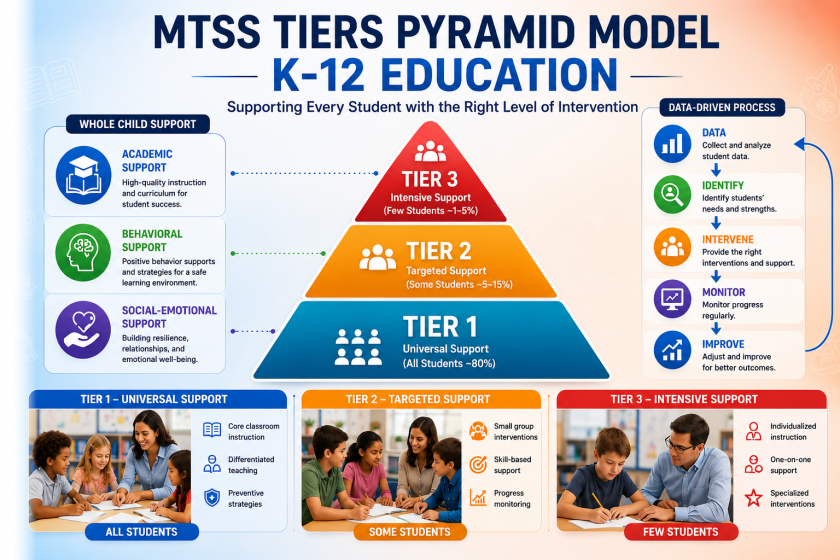
If you’ve ever opened a fifth tab just to find one student’s reading level, you already know the problem. The promise of MTSS data — Multi-Tiered Systems of Support — is that schools see the “whole child” clearly so no student falls through the cracks. The reality? Data lives in disconnected tools, teachers maintain personal spreadsheets, and decision-makers wait days to find out a student is struggling. This guide walks you through how to move from messy MTSS data collection to an integrated system that actually predicts student needs and monitors intervention success.
Why MTSS Data Tracking Matters for Schools
MTSS success rises and falls on the quality and accessibility of your data. When information is fragmented across systems, schools often see these familiar problems:
- Data is stored in multiple tools — assessments here, attendance there, behavior records somewhere else.
- Teachers rely on personal spreadsheets to fill the gaps, creating “shadow data” no one else can see.
- No real-time visibility into student progress — by the time a problem is spotted, weeks of instruction have already passed.
Those operational headaches translate directly into student outcomes:
- Delayed interventions — students stay in struggling tiers longer than they need to.
- Slow or incorrect decision-making — leaders make calls without seeing the full picture.
- At-risk students aren’t identified on time — early warning signals get buried in the noise.
What Data Schools Should Collect for MTSS
Effective MTSS depends on collecting the right types of student data — not just more of it. Here are the four categories every district should track:
Academic Data
- Grades across subjects and report cards
- Standardized assessments (state tests, NWEA MAP, iReady)
- Benchmark scores three times a year
Behavioral Data
- Discipline records (referrals, suspensions, restorative actions)
- Classroom behavior observations and incident logs
Attendance & Engagement Data
- Daily and chronic absenteeism rates
- Student participation, tardiness, and class engagement
Intervention & Progress Data
- Progress monitoring scores from each intervention session
- Intervention results and goal-completion rates
- Response to support across tier movements
How to Collect MTSS Data Effectively
Collecting MTSS data effectively requires a structured, consistent approach. Random data dumps don’t help anyone. Try these four practices:
- Use universal screening regularly — administer benchmark assessments at least 2–3 times per year for every student.
- Set a clear data collection schedule — define exactly when and how each data type gets captured (e.g., progress monitoring every two weeks).
- Use consistent formats — standardize entry fields so your numbers are comparable across teachers, classes, and buildings.
- Automate wherever possible — let an integrated platform pull SIS, assessment, and intervention data so teachers don’t re-key it.
How to Manage and Organize MTSS Data (Step-by-Step)
Managing MTSS data requires a clear, repeatable system. Use this 4-step approach to bring order to the chaos:
- Centralize all data Bring every data source — SIS, assessments, behavior, attendance — into one platform or dashboard. Ditch the disconnected tools.
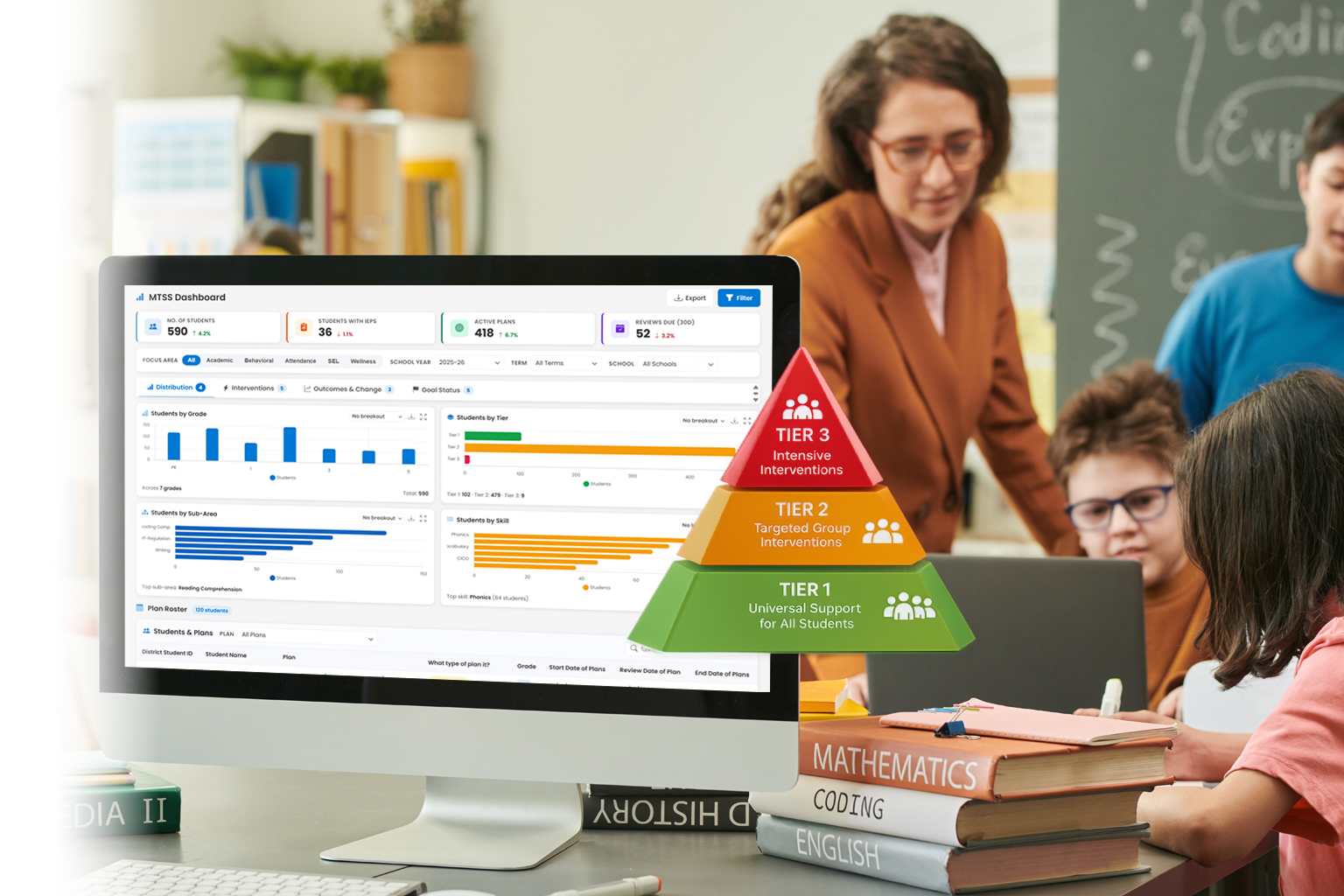
- Create real-time dashboards Build views that are easy to read at a glance. Visual insights help teachers and leaders spot patterns in seconds, not hours.
- Standardize data entry Use the same format across every input — same dropdowns, same scales, same vocabulary. This is what makes data comparable.
- Enable shared access for teams Teachers, interventionists, and administrators should see the same data. Shared visibility powers better collaboration and faster decisions.
How Schools Should Use MTSS Data for Decision-Making
Data-based decision-making is the heart of MTSS. Once your data is centralized and current, use it for these four high-impact actions:
- Identify at-risk students early — spot warning signs before they become crises.
- Adjust interventions quickly — when progress monitoring shows a strategy isn’t working, modify it within weeks, not semesters.
- Move students between tiers based on progress — promote those who’ve met goals, escalate those who haven’t.
- Allocate resources where they’re needed most — focus interventionists, materials, and time on the students with the biggest gaps.
Common Challenges in MTSS Data Tracking (and How to Fix Them)
Most schools hit the same handful of obstacles. Each has a clear fix:
| Challenge | What it looks like | How to fix it |
|---|---|---|
| Data overload | Dashboards crammed with metrics nobody acts on | Focus on a small set of actionable indicators tied to MTSS decisions |
| Data silos | Assessment, SIS, and behavior tools that don’t talk to each other | Integrate and centralize into one MTSS data platform |
| Manual work | Teachers spending hours each week in Excel | Automate ingestion and reporting — let teachers focus on instruction |
| Data privacy concerns | Worry about FERPA, sharing, and access controls | Use systems with role-based access, audit logs, and FERPA-compliant infrastructure |
Best Practices for Effective MTSS Data Tracking
- Keep data simple and actionable — every metric on a dashboard should answer a specific MTSS question.
- Review data weekly or bi-weekly — short cycles catch problems while there’s still time to act.
- Build a data-driven culture — model data conversations in PLCs, leadership meetings, and grade-level teams. Read more on building a data-driven school culture.
- Train staff regularly — even the best dashboard fails if people don’t know how to read it.
- Use visual dashboards — color-coded indicators and trend charts surface insights faster than any spreadsheet.
The Future of MTSS Data Tracking in K-12 Schools
MTSS data tracking is shifting from reactive to proactive. Watch these trends:
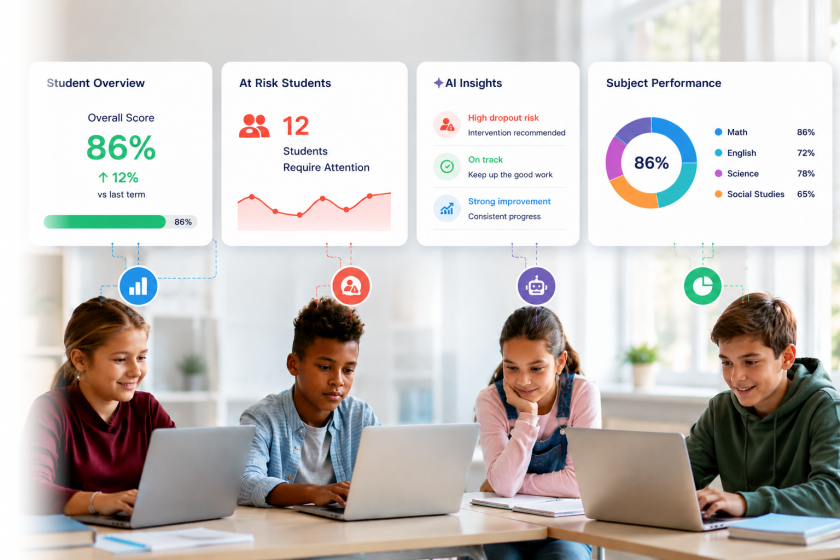
- AI-driven insights — analyze student data faster and more accurately than any human review.
- Predictive analytics — forecast which students are heading toward risk before the warning signs are obvious.
- Early warning systems — flag at-risk students automatically so educators intervene weeks earlier.
- Personalized interventions — tailor support to each student’s specific data signature, not a one-size-fits-all program.
Conclusion
MTSS data tracking is no longer optional for schools that take student outcomes seriously. The districts pulling ahead aren’t the ones with more data — they’re the ones with centralized, real-time, accessible data that anyone on the team can act on. The takeaway is simple: better data equals better decisions equals better student outcomes. Start by consolidating your sources, automate where you can, and turn your dashboard into the team’s daily compass.